Practice Management on Embodia - Part 2: Scheduling - Cancelling a class
How to Cancel a Class
- Navigate to the class page by going to Consults > My Classes.
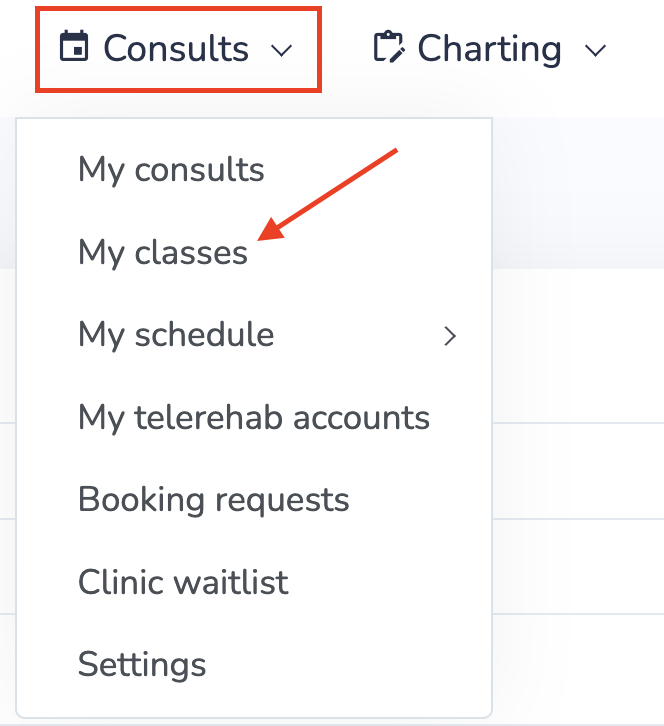
- Click on the class you would like to cancel.
- Scroll to the bottom of the page and click Cancel.

Cancelling a Recurring Class
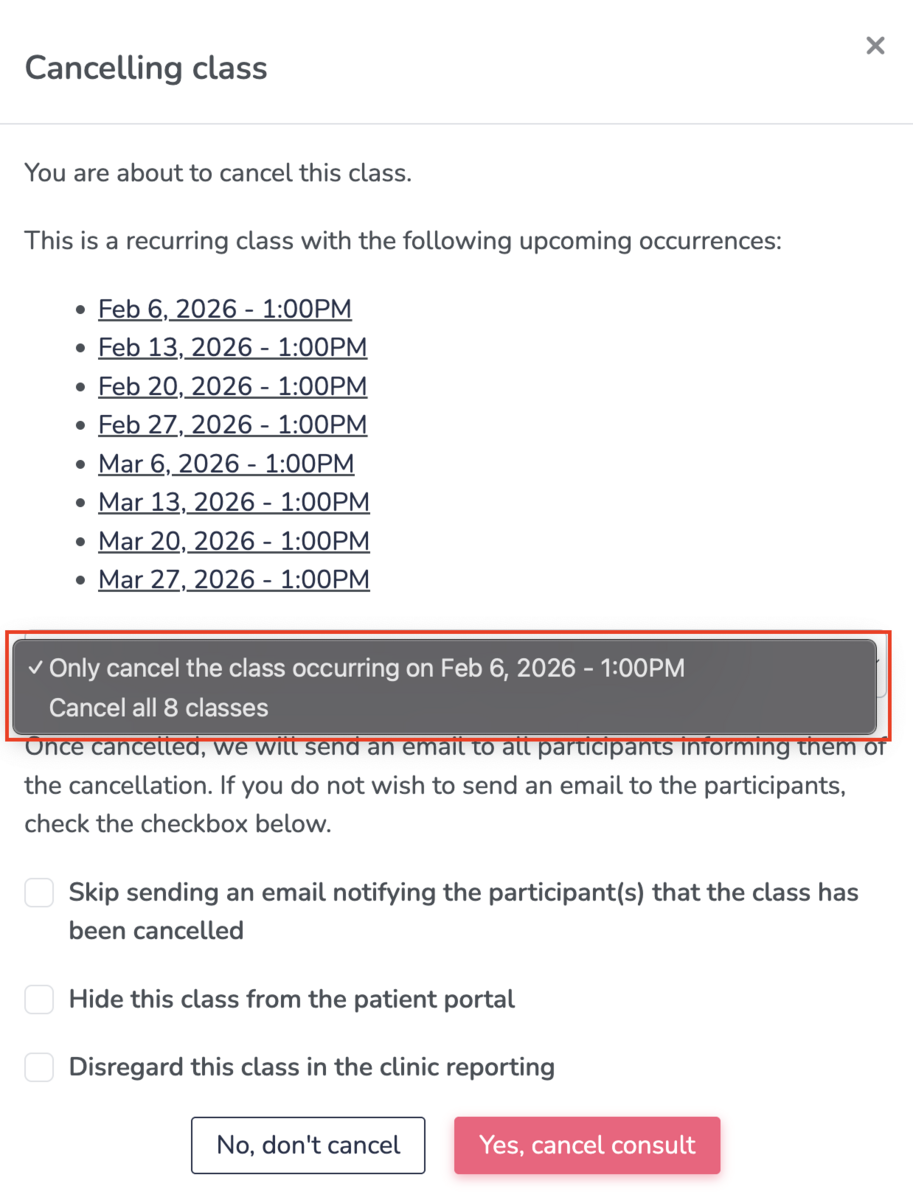
Follow the same steps as above. After clicking Cancel, you will be given the option to cancel:
- A single occurrence, or
- All classes in the recurring series
Participant Notifications
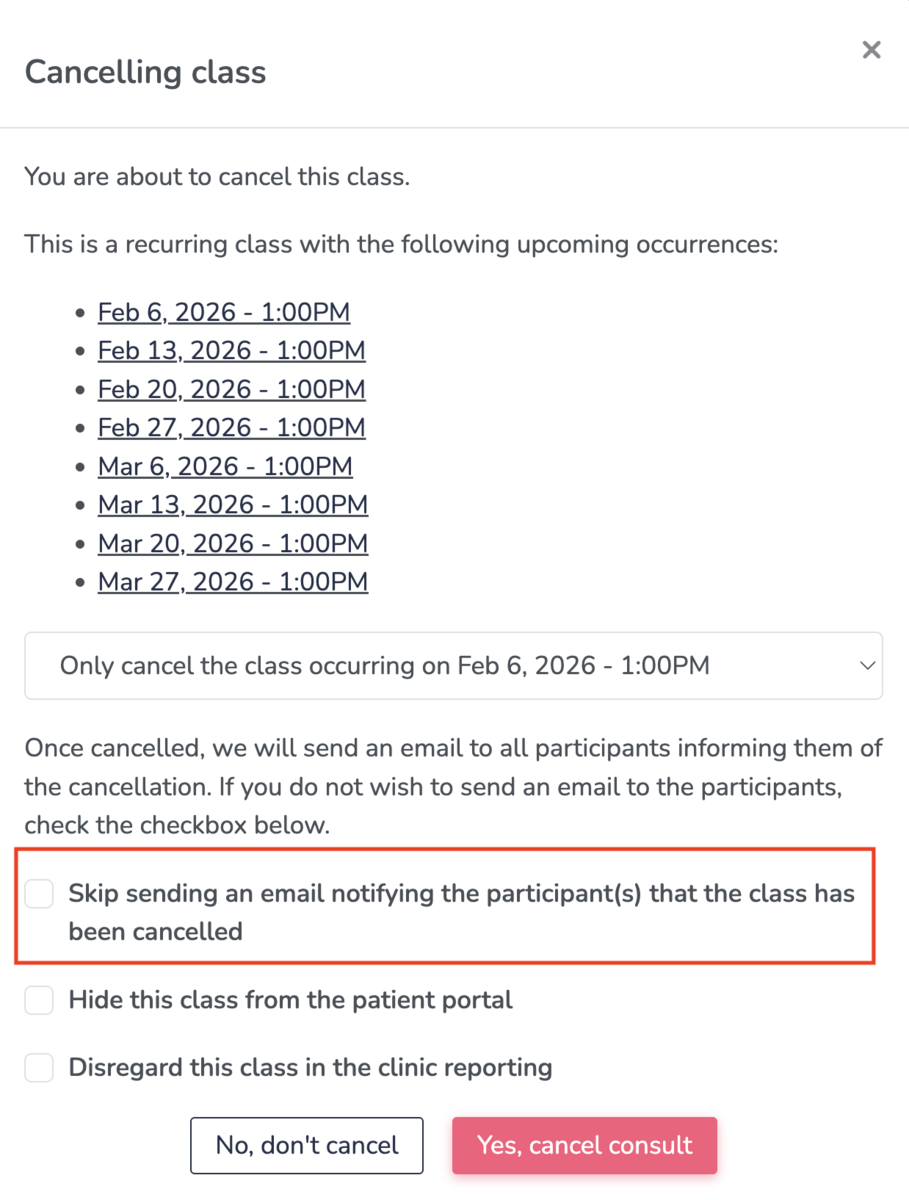
Once a class is cancelled, an email notification will automatically be sent to all participants.
If you do not want to send a cancellation email:
- Select the checkbox “Skip sending an email notifying the participant(s) that the class has been cancelled.”
Participant Registration and Refunds
If a participant has registered and paid for a class that is later cancelled, the clinic is responsible for issuing any applicable refunds or providing a credit toward future classes. This applies to both individual classes and classes within a recurring series.
Additional Options
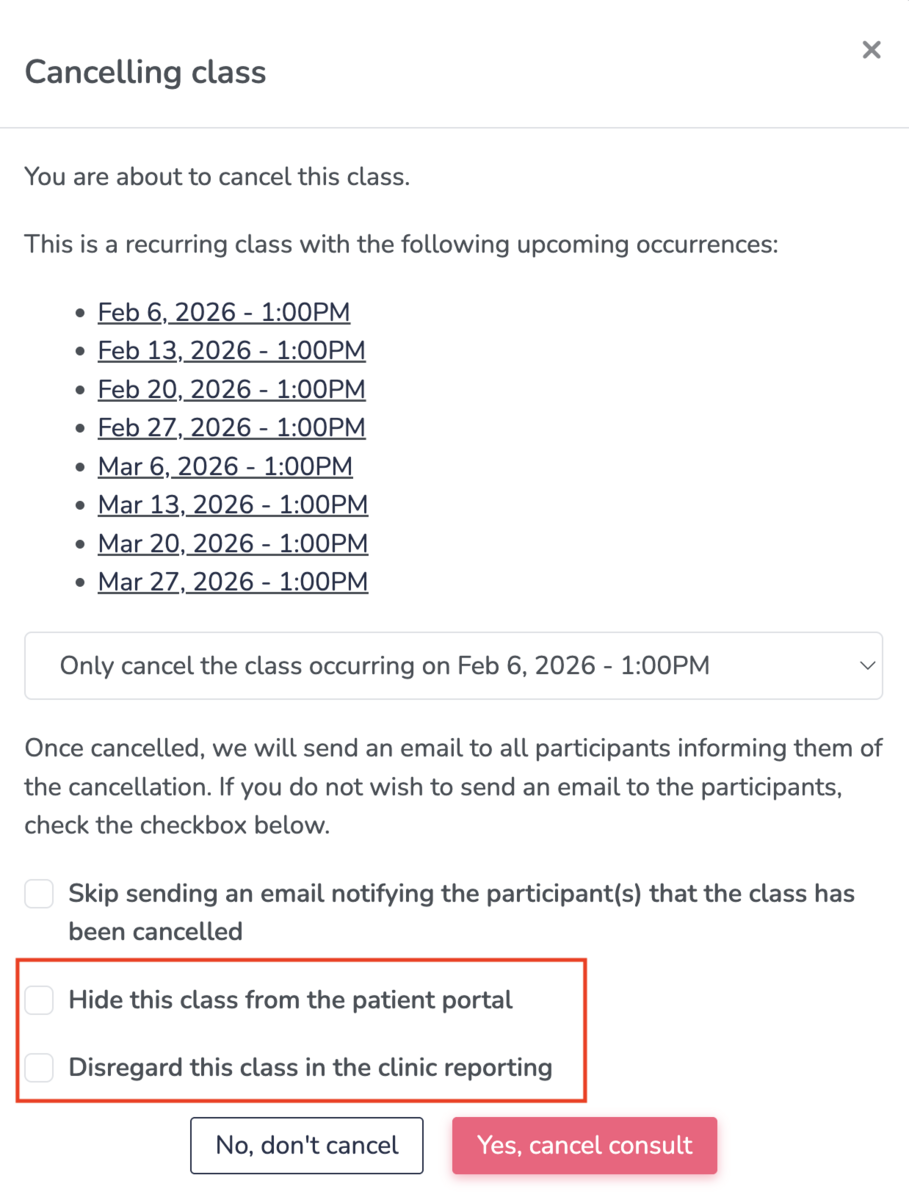
When cancelling a class, you can also choose to:
- Hide the class from the patient portal
- Disregard the class in clinic reporting